Shake Shack Order Online 2026 : App, Website, Pickup & Delivery
[Last Updated : October 2026]
You can order Shake Shack online through the Shack App or on the ordering website, then collect your food at the Shack or have it delivered. Which options you see depends on the location you pick. Some Shacks offer curbside pickup, a few have a drive-thru, and delivery depends on your address.
This guide explains each way to order, what to expect from pickup and delivery, and how to avoid the usual snags. For item prices and calories, see our Shake Shack menu guide.
Shake Shack Mobile App for Ordering
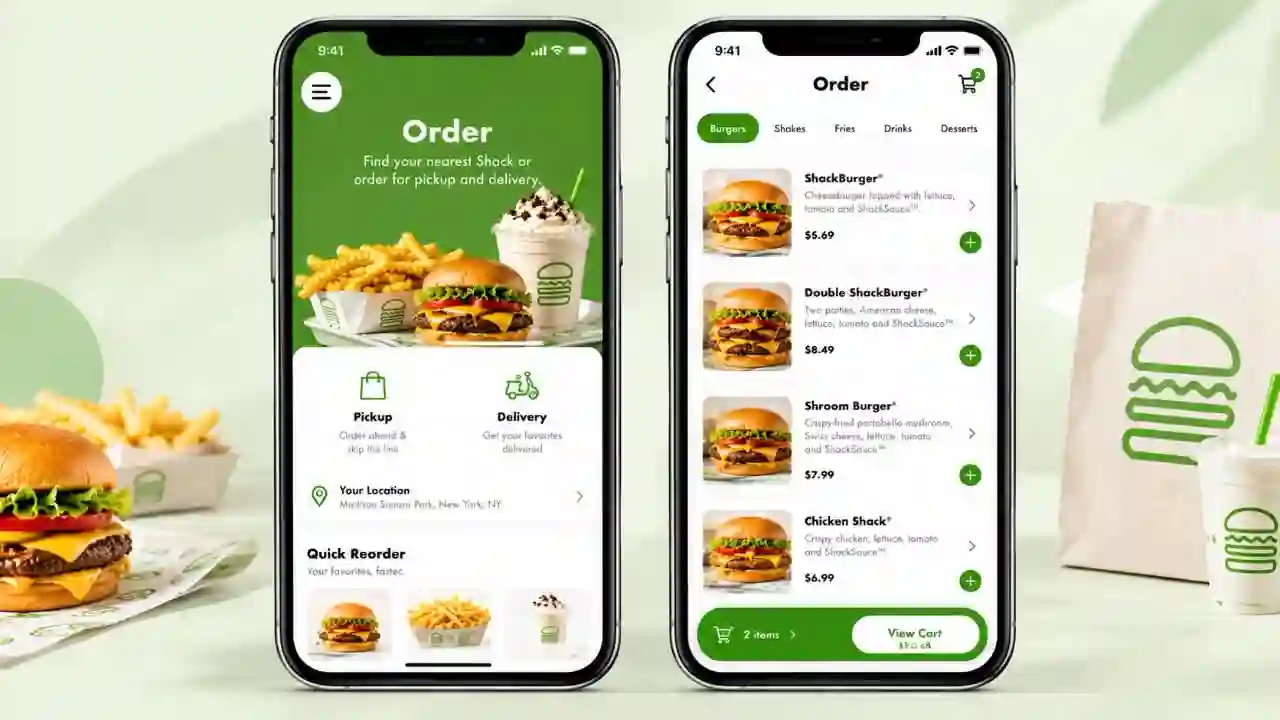
The Shack App is Shake Shack’s own ordering app, available for iPhone and Android. It lets you order ahead, choose a Shack, customize items and pick how you want to receive your food. Shake Shack has described its digital ordering setup as Shack Track: you order ahead in the app or on the website, then collect through an in-Shack pickup shelf, walk-up window, drive-up window or curbside pickup, or choose in-app delivery where it is offered.
Not every Shack offers every option, so the choices you see after selecting a location are the ones that apply to you.
Shake Shack Mobile Order: How It Works
A mobile order follows the same basic path every time:
When you order for pickup, you choose a time that suits you. Shake Shack has said app orders are cooked to order and timed to your arrival, so pick a slot you can actually make.
How to Place a Shake Shack Order
Whether you use the app or a browser, the steps are nearly identical:
Order on the Shake Shack Website
You do not need to install anything to order online. Shake Shack’s ordering website, order.shakeshack.com, offers the same order-ahead flow in your browser. It is handy on a laptop, or if you only order now and then and would rather not add another app.
Browse the Online Menu Before You Order
The menu you see while ordering is tied to the Shack you selected, so items and prices can differ from the general menu on our site, and limited-time items may not be available everywhere. If you want to compare dishes, prices and calories first, start with our full Shake Shack menu with prices, then switch to the app to confirm what your Shack is actually serving.
Shake Shack Delivery
There are two ways to get Shake Shack delivered: order in the Shack App, or order through a delivery marketplace app. Shake Shack added in-app delivery to its Shack Track ordering system, and it has also worked with marketplace partners in many areas. Both depend on whether your address falls inside a nearby Shack’s delivery range.
Shake Shack Delivery App: Own App vs Third-Party
| Shack App | Marketplace app | |
| Where you order | Shake Shack’s own app | The marketplace’s app |
| Fees and promos | Shown at checkout in the Shack App | Set by the marketplace, shown in its app |
| Order tracking | In the Shack App | In the marketplace app |
| Support | Through Shake Shack | Usually through the marketplace first |
Ordering directly keeps everything in one place. A marketplace can be useful if you already have a subscription or credits with it. Compare the final totals before you decide.
Does Shake Shack Deliver to You?
The quickest way to find out is to enter your address in the Shack App or a delivery marketplace. If a Shack covers your address, it shows up with a delivery estimate. If none appears, you are probably outside the delivery range, and pickup is the alternative. When searching for Shake Shack delivery near me, an address inside a dense city usually has more options than one in a suburb.
DoorDash
DoorDash is one of the marketplaces Shake Shack has named among its delivery providers in certain areas. Search “Shake Shack” in the DoorDash app with your address entered. If the Shack is listed, you can order from there, and DoorDash handles the courier and tracking.
Uber Eats
Uber Eats is another provider Shake Shack has listed for certain locations. The process matches DoorDash: set your address, search for Shake Shack and check the fees and estimated arrival before placing the order.
Grubhub
Shake Shack has also listed Grubhub among its delivery options, and its own 2021 updates described it as available in all of its cities at that time. Coverage can change, so confirm in the app that your Shack still appears for your address.
Delivery Fees
Delivery fees depend on where you order and your address, so we do not quote a single number. Marketplace apps usually add their own delivery and service charges. The Shack App shows the total before you pay. Shake Shack has run offers in the past that waived its in-app delivery fee above an order-size threshold, so look for free delivery offers in the app, and check the terms. Ordering for pickup avoids a delivery fee entirely.
Does Shake Shack Have a Drive-Thru?
Yes, but only at select locations. Most Shacks are walk-in restaurants, though Shake Shack has been adding drive-thrus, mainly at newer suburban sites. Recent examples include a two-lane drive-thru in North Las Vegas and newer Houston-area openings. The company has said it wants to open more drive-thrus. Some Shacks also have drive-up windows for app orders, which is not the same as a full drive-thru lane.
Drive-Thru Near Me
Check the location’s listing in the official locations list or the Shack App for drive-thru or drive-up window details, or call the Shack before you go. Also confirm the hours. At the North Las Vegas Shack, for example, the drive-thru was announced to run later than the dining room. Do not assume the two close at the same time.
Pickup and Order Ahead
Ordering ahead is the simplest way to skip the line. Choose a Shack and a pickup time, pay online and collect when it is ready. Depending on the Shack, you may be able to collect in one of these ways:
For curbside, Shake Shack’s instructions are to find a participating Shack in the app, order ahead for curbside, follow the in-app steps, park, and a team member brings your food out to your car.
Shake Shack Kiosk
If you walk in without ordering ahead, you will often find touchscreen kiosks. Shake Shack began testing them in 2017 and said in 2022 that roughly half of its Shacks had them, with a plan to add them everywhere by the end of 2023. Many Shacks keep a cashier as well, so the kiosk is an option rather than a requirement.